
Small business 8 min read
Garden Maintenance Website: What a Gardening Business Needs to Win More Customers
What a website for a gardening business should say, show and make easy, with the Knights Gardens site as a real example and a checklist you can use today.
A PrimeStart guide for small businesses and trades

Most people who search for a gardener are not browsing. A hedge has got out of hand, a lawn needs cutting before a family weekend, or a landlord needs a garden tidied before new tenants arrive. They look for someone local, open two or three websites, and ring the one that looks like it knows what it is doing. If you are working out how to get more garden maintenance customers, a website that does that job well is one of the most dependable places to start.
This guide goes through what a good gardener website needs, using the Knights Gardens website, which we built, as a real example. Everything we say about it is something you can check for yourself on their live site.
What do people look for on a garden maintenance website?
When someone lands on a gardening website, they are usually trying to settle four things within a few seconds:
- Do you do the job I need? Mowing, hedges, clearing an overgrown plot, pruning, a regular visit or a one-off tidy.
- Do you work near me? Not “across the region”, but their road or their part of town.
- Are you the real thing? Photos of actual jobs, and the details that make a business feel established, such as whether you are insured.
- How do I get in touch? Ideally with one tap, without hunting for a number.
A site that answers those four questions quickly is doing most of what a gardening website needs to do. Everything else is detail.
Gardener website ideas that work: what to put on each page
A homepage that says what you do in one line
The top of your homepage should name the service and the area. The Knights Gardens homepage opens with “Your garden. Looked after.” and straight underneath says “Garden maintenance in North London and surrounding areas”, with a quote button and a phone number beside it. A visitor knows what the business does and where within a second.
Beneath that, short lines do the work that long paragraphs would not. On the Knights Gardens homepage you can see “Regular visits or a one-off tidy”, “Homes and commercial sites” and “Liability insured”. These are facts the business can stand behind, and they answer the questions people are quietly asking.
A page for each main service
“Garden maintenance” and “garden clearance” are different jobs bought by different people. One is for a garden you want kept in order; the other is for a garden that has got away from you. Giving each its own page lets each one speak to the right customer, and gives it its own address for people searching for exactly that job.
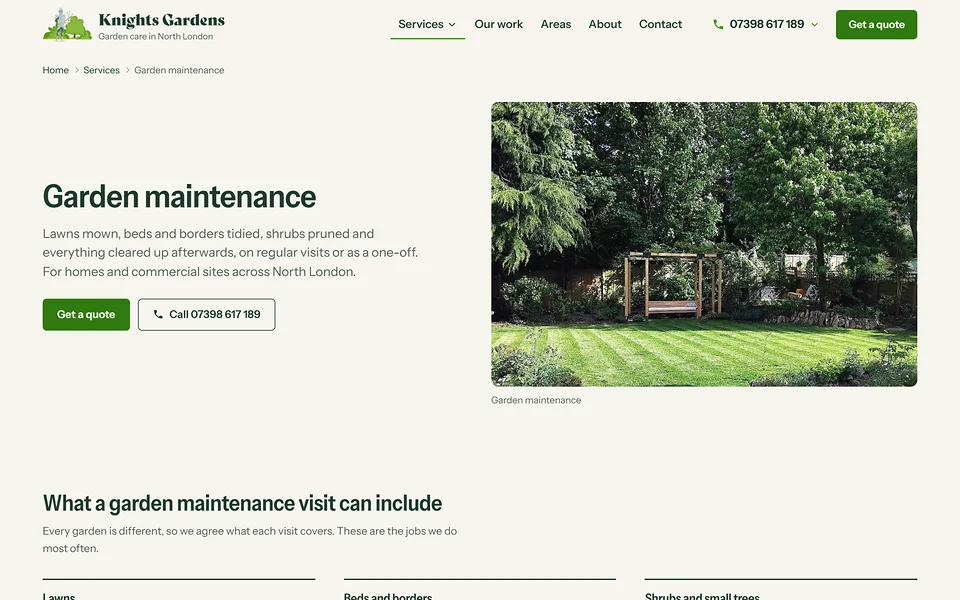
Knights Gardens does this: its services page sets out garden maintenance and garden clearance separately, then lists the other work around them, such as hedge cutting, lawns and turfing, tree surgery, fencing, patios and decking, planting, garden rubbish removal and pressure washing. Describing each job in the words customers use (“cut back, shaped and squared off”, “green waste taken away”) is much more useful than a list of one-word headings.
Regular visits or one-off jobs: say which you do
Many gardening businesses lose enquiries because the website does not say whether they take on regular work, one-off jobs or both. The Knights Gardens homepage has a short section headed “Regular care or a one-off job?” that explains both, with a separate link for each. A customer who wants a regular visit and one who needs a single overgrown hedge cut both see themselves in it.
A page for the areas you cover
“Garden maintenance in Highgate” is a very different search from “gardener”. People search for their own neighbourhood, and a page that names it gives you a chance of appearing for it. The Knights Gardens areas page says the business is based in Muswell Hill and works across North London, Barnet and East London, then lists areas such as Highgate, Crouch End and East Finchley, with postcode districts and a line about each.
The principle matters more than the example. Write out the real places you work, and only those. Padding the list with towns you do not serve brings you the wrong enquiries. Our guide on whether your website should list the areas you cover goes through how to do it well.
How does a gardening business show its work online?
Photographs are the strongest thing a gardener can put on a website, as long as they are your own. A before-and-after pair from the same corner of a garden tells a customer more than any paragraph. The Knights Gardens homepage uses before-and-after images for its garden clearance work, and its “Recent work” section shows photographs from the business’s own jobs with short captions, such as hedge cutting and a new fence.
A few habits make work photos earn their place:
- Take them from the same spot before and after, so the change is obvious.
- Caption each one with the job, in a few words.
- Show the finished result and the tidy-up, because customers care that the waste has gone.
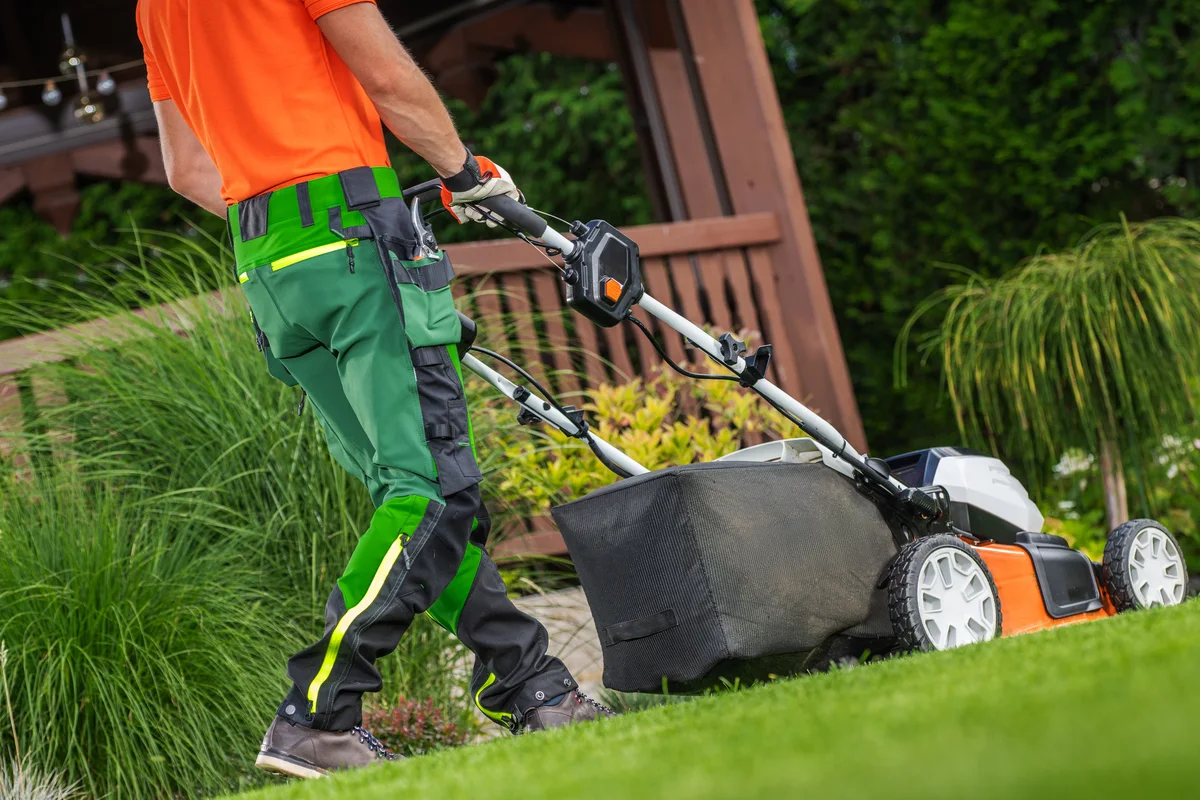
- Do not use other people’s gardens. Stock photographs have a place at the top of an article like this one, but the work gallery on your own site should be yours. Customers can tell.
To see these ideas working together, read about a garden maintenance website we built for Knights Gardens in Muswell Hill, North London.
How do customers get a quote from a gardener’s website?
Most visitors to a gardening website are on a phone, often outside. If getting in touch takes more than a tap, some will simply go to the next gardener.
On the Knights Gardens site, the phone number and a quote button sit in the header, and on a phone the header has a call button. The quote form lets customers attach photos of their garden, which saves a lot of back-and-forth, because you can see the job before you reply. You can see these details on our work page, where we show the site as customers see it.
Whatever you choose, aim for these:
- A tap-to-call number on every page
- A short quote form that asks what needs doing and the postcode
- A way to send photos of the garden
- A clear idea of what happens next, such as “we will ring you to talk it through”
What should a gardening website look like on a phone?
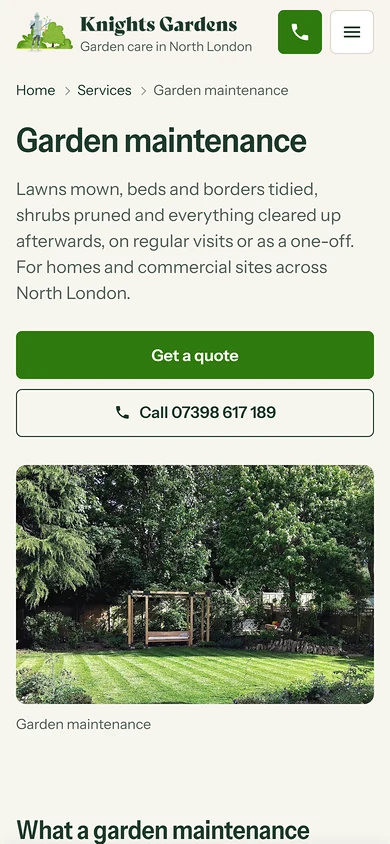
Gardeners’ customers search on phones, so the phone layout deserves its own design, not a squeezed-down copy of the desktop site. On the Knights Gardens garden maintenance page, a phone shows the logo and a green call button in the header, then the page title and a short description, then a “Get a quote” button and a “Call” button before anything else. That order is deliberate: the two things a phone visitor is most likely to do come first.
A checklist for your gardening website
- One clear line saying what you do and where
- A page for each main service, written in customers’ words
- Regular visits and one-off jobs explained separately
- Your real areas, named, with postcode districts if you use them
- Your own photographs, with captions
- Only the insurance, memberships and qualifications you really hold
- Phone number and quote button easy to reach, designed for a thumb
- A quote form that accepts photos
- Reviews shown exactly as customers wrote them, and only if you have genuine ones
Questions people ask
How many pages does a gardener’s website need?
Usually between one and five: home, services, areas, about and contact. Some gardeners do well with a single well-organised page. Add a page for each major service if you want each one to be found on its own.
How do I get more garden maintenance customers?
Be easy to find, easy to trust and easy to contact. That means a website that names your services and areas, your own photos, an up-to-date Google Business Profile, and a quick way to ask for a quote. Word of mouth still matters, and a website makes it easier for a recommendation to turn into a call.
Should a gardener put prices on the website?
Gardens vary too much for a fixed price list to be fair. Many gardeners explain how they quote instead, for example that photos help them give a closer estimate. Say whichever is true for you.
Do I need a website if I get work from Facebook or Instagram?
Social media is a good shop window, but a website is where people check you out before they ring. We cover that in detail here.
Is a gardener’s website different from a landscaper’s?
Somewhat. Maintenance is about regular visits and keeping a garden in order; landscaping is about design and building projects shown stage by stage. We have a page for each: our page for gardeners and websites for landscapers.
See what yours could look like
If you run a gardening or landscaping business and want to see how a website for it could look, ask for a free homepage design. You can also read about the Bespoke Website, which starts with one complete page and adds a Service or Location Page for each main service at £69.99 each, or see what is included on our websites page.
Rather we did it for you?
We design it, write it, host it and look after it, and you see your design before it goes live.
Money back until you approve your design. Nothing goes live until you approve it.
- Designed for your business
Bespoke, not a template.
- Looked after for you
Domain, hosting, security, backups and updates.
- You see it first
Your design is shown before it goes live.
- Money back until you approve
If you do not approve your design.
More guides like this.
All guides Should Your Website List the Areas You Cover?A local business site should name the places it covers, in the words customers use. How to write an areas page that helps, and the doorway-page trap to avoid.
 Does a Tradesman Need a Website? How It Brings in WorkDoes a tradesperson need a website? What a trade site must show to turn a local search into a call: services, areas, proof and a contact route.
 Checkatrade vs Your Own Website: Do Tradesmen Still Need One?Trade directories and your own website do different jobs. What each one does, where directories fall short and how to make them work together.