The Client Platform
Your website, and everything happening to it, in one place.
Every PrimeStart customer has their own dashboard: where the project lives, where you talk to us, and where you approve the website before it goes live.
- Included with every plan
- Nothing to install, on any device
- You approve the website before it goes live

Why it exists
PrimeStart does not disappear after launch.
A website project usually goes quiet at exactly the moment you most want to know what is happening. Then it launches, and the silence becomes permanent.
The Client Platform is our answer to both. It is the one place where your project is visible from the day you sign up, where the conversation with us happens, and where you stay in control after launch without touching anything technical. It is part of every plan, and it is how a managed website should feel: you can always see where things are.
The questions it answers without an email
- Where is my website up to?
- Is there anything you need from me?
- When is the first draft due?
- What did I ask to change, and is it done?
- Who do I talk to, and what did we agree?
From signup to live
One window, from first draft to live website.
Five moments every customer passes through, each of them visible in the platform as it happens. The first-draft target is five working days from Ready to Build.
-
Your project
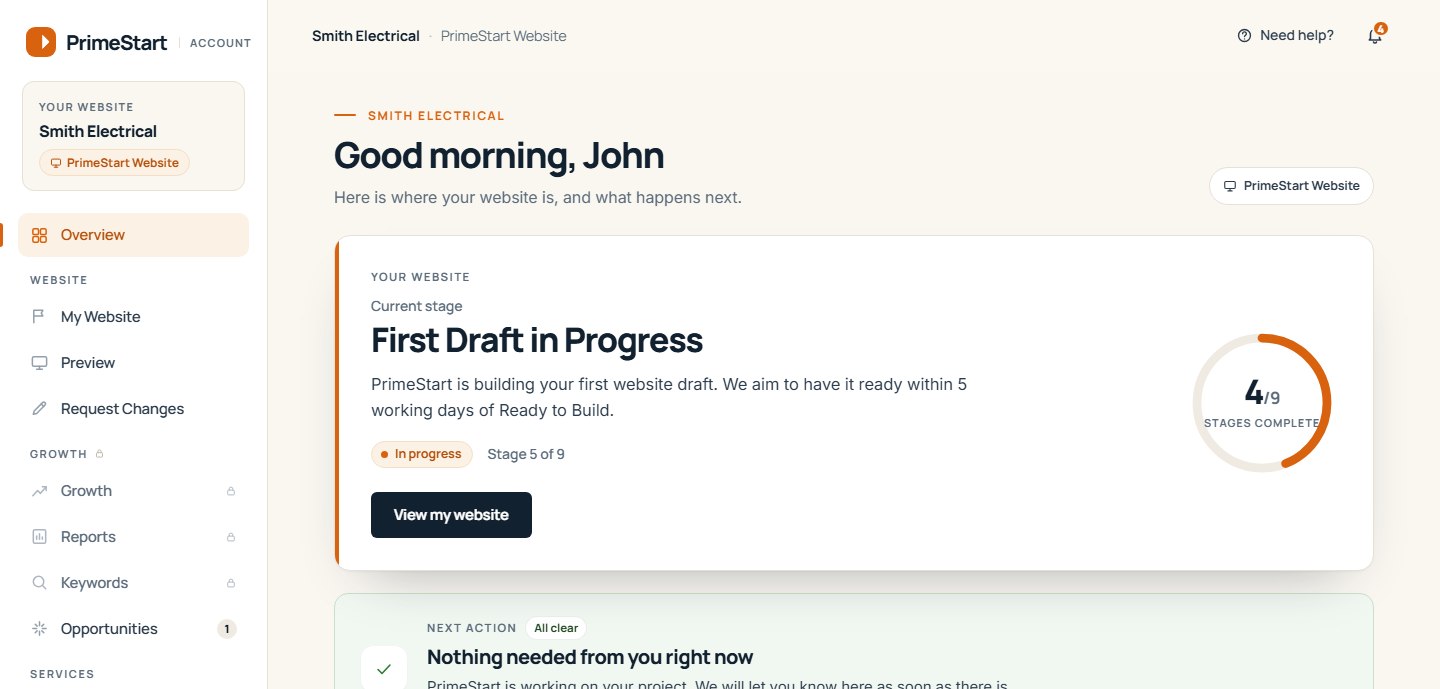
The stage the website is at, the date it became Ready to Build, the first-draft target that follows from it, and whether anything is needed from you.
primestart.co.uk/account/project/
The project page, with a fictional business. -
Your preview
The first draft appears here, on desktop and on a phone, at a private preview address. Until it does, the page shows the target date and what happens next.
primestart.co.uk/account/preview/
The preview page before the first draft, with a fictional business. -
Request changes
Spotted something? Send a change request, page by page, and follow it here until it is done. The same page keeps working after launch.
primestart.co.uk/account/changes/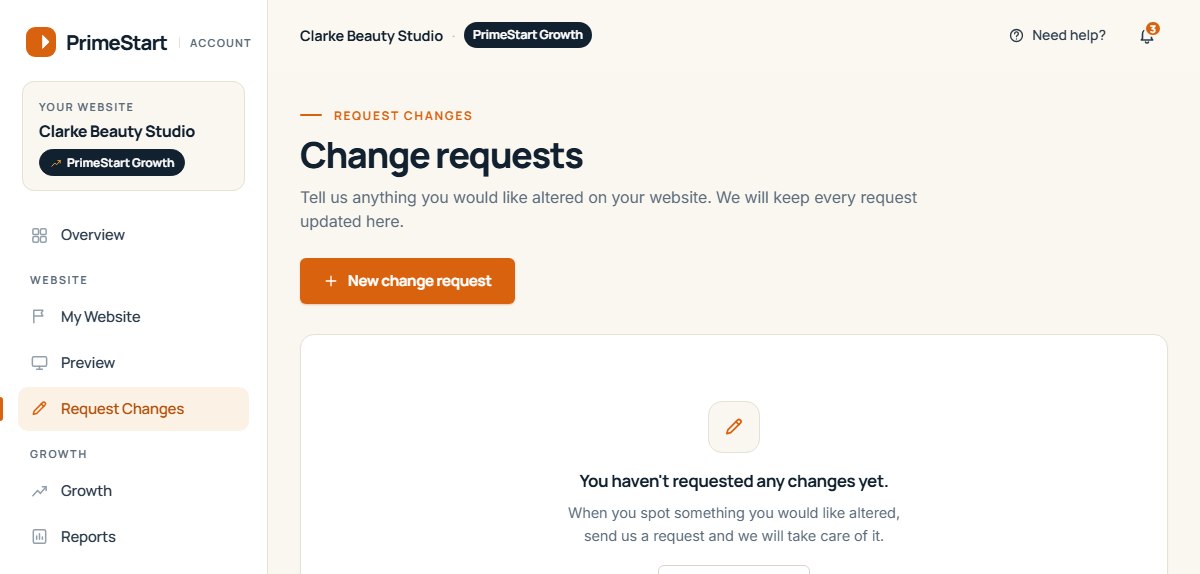
Change requests, with a fictional business. -
Approve for launch
When you are happy, you approve the website for launch. Nothing is published until you have, and the approval is recorded with the version and the time.
primestart.co.uk/account/approval/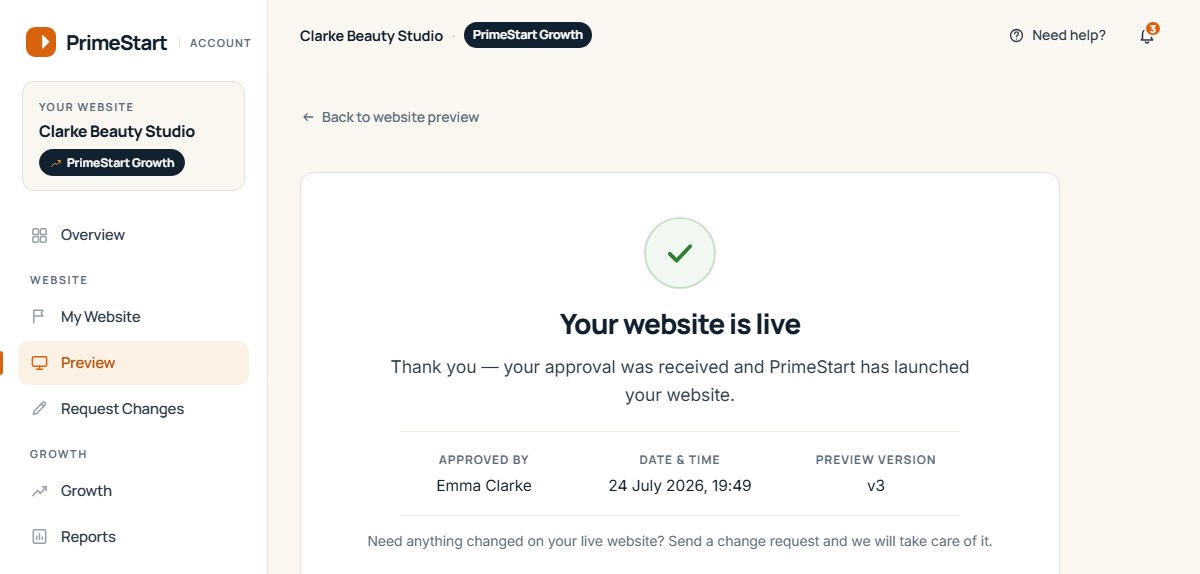
The approval record after launch, with a fictional business. -
Live and looked after
After launch the same project page shows your live website and the date it went live. Messages, files and change requests carry on for as long as you are with us.
primestart.co.uk/account/project/
The same project page once the website is live, with a fictional business.
- Ready to Build.
- First draft ready.
- Change made.
- Your website is live.
You never had to ask.
Always visible
Everything you need to know, without asking.
Most of the frustration in a website project is not the work. It is the not knowing. So the platform puts the answers where you can see them, and tells you when there is something for you to do, rather than leaving you to chase.
- The stage
- Which of the project stages you are at, and what the next one is.
- The dates that matter
- Ready to Build, the first-draft target and, later, the day the website went live.
- Your next action
- Approve, review, send a file, or nothing at all. When it is nothing, it says so.
- Updates from PrimeStart
- What we did and when, kept with the project rather than lost in an inbox.
- A record
- Approvals, change requests and messages, all in one place, for as long as you are with us.
Included with every plan
What every customer can do.
The same platform whether you are on Website or Website + SEO. Nothing to install, nothing to learn, and no WordPress login to keep track of.
- Follow the project
- Stage by stage, with the dates that matter and a note when something is needed from you.
- Preview the website
- On desktop and on a phone, at a private address, before anything is published.
- Request changes
- Page by page, before launch and after it, and follow each request until it is done.
- Approve for launch
- Nothing goes live until you say so. The approval is recorded with the version and the time.
- Message PrimeStart
- A private conversation with the people building and looking after your website, kept with the project.
- Send files
- Your logo, photographs, accreditations and content, and anything we share with you, private to your account.
- See your plan and payments
- What you pay, when, and where you are in the minimum term.
- Get notified
- A notification when there is something for you to do, and quiet when there is not.
- Ask for support
- Raise a support request and follow it to its answer.
- Keep your details current
- Your contact details and how we reach you, in your own hands.
Need something extra later? No problem. PrimeStart customers can order additional services such as extra pages, branding and one-off optimisation through their client dashboard whenever they need them.
Included with Website + SEO
What SEO customers also see.
Website + SEO adds a second half to the platform: the work we did on your visibility each month, written up where you can find it.
- The monthly reportWhat changed, what we did and what comes next, once a month.
- The searches we trackWhere your website appears for the searches agreed with you, month by month.
- RecommendationsThings we have spotted, with the reason for each. What you do with them is up to you.
- SEO activityThe work itself, itemised, so the report is never a promise in an email.
Website + SEO customers also receive preferential pricing on eligible additional services. How SEO works


On your phone
Built for a phone in a van.
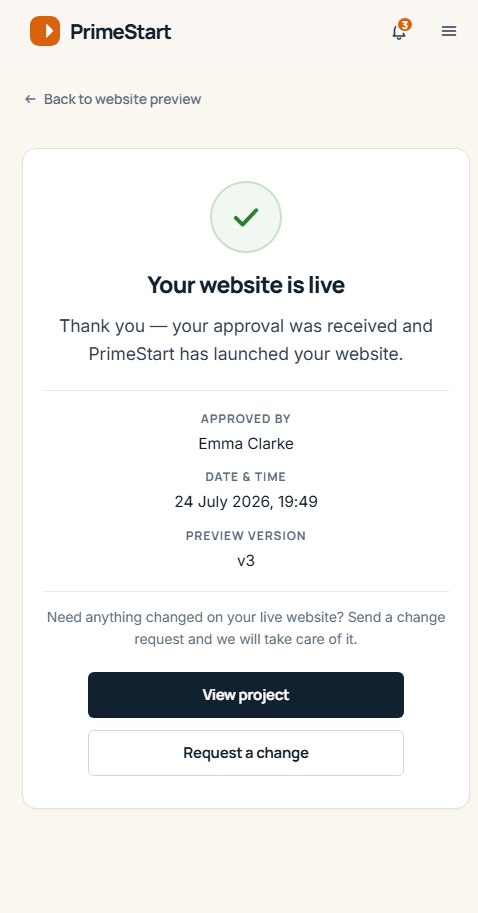
Most of our customers are not at a desk. So the platform is designed for the moments between jobs: approving a draft in the cab, sending a change request from site, checking whether anything is needed from you while the kettle boils.
- Nothing to install. It runs in the browser you already have.
- The same account on your phone, your tablet and the office computer.
- Forms sized for thumbs, and photographs sent straight from the camera roll.

Questions
What people ask about the platform.
If yours is not here, ask us. We would rather explain it now than have you wondering.
Do I need to know WordPress to use it?
Is the Client Platform included?
What can I do before the first draft is ready?
Can I request changes after launch?
Who can see my project?
Does it work on my phone?
Ready to see your website come together?
Start your website and your Client Platform is set up as part of onboarding. From then on, you can always see where things are.